








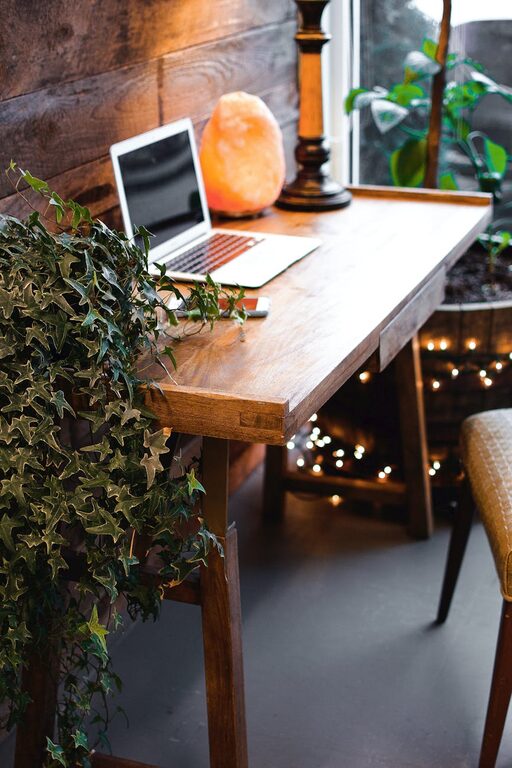
Creating a home office that feels inviting and encourages productivity can significantly improve your work-from-home experience. Whether you’re working remotely full-time or need a space for occasional projects, a well-designed home office can help you stay organized, focused, and comfortable. Below are practical tips to help you set up a cozy and productive workspace tailored to your needs.
Choose the Right Location
The foundation of a good home office starts with picking the right spot. Consider these factors:
– Natural light: Try to pick a space near a window to enjoy daylight, which boosts mood and energy.
– Quiet environment: Choose a room or corner away from household noise and traffic.
– Space availability: Ensure there’s enough room for your desk, chair, and any equipment you need.
If space is limited, a dedicated nook or a section in a larger room can work just as well.
Invest in Comfortable and Functional Furniture
Furniture plays a big role in comfort and productivity.
– Ergonomic chair: A supportive chair reduces strain on your back and encourages good posture.
– Desk size: Select a desk that comfortably fits your computer, writing materials, and other tools.
– Adjustable options: Consider desks that allow you to alternate between sitting and standing.
Comfort reduces fatigue, helping you to maintain focus throughout the day.
Organize Your Workspace Efficiently
A clutter-free area helps your mind stay clear.
– Use storage solutions: Drawers, shelves, and organizers keep supplies tidy.
– Declutter regularly: Remove unnecessary items weekly to maintain order.
– Keep essentials close: Place items you use frequently within arm’s reach to minimize distractions.
Organizing your space can also make your workflow smoother and faster.
Personalize Your Workspace
Adding personal touches can make your office feel welcoming and inspire creativity.
– Decorate with plants: Greenery improves air quality and adds a calming element.
– Use artwork or photos: Visual elements can motivate and uplift your mood.
– Choose calming colors: Soft blues, greens, or neutrals create a peaceful atmosphere.
Aim to balance personalization without overcrowding the space.
Optimize Lighting
Proper lighting reduces eye strain and fatigue.
– Combine natural and artificial light: Use daylight when possible and supplement with adjustable lamps.
– Task lighting: A desk lamp focused on your work area improves visibility.
– Avoid glare: Position screens and lighting sources to reduce reflections and harsh shadows.
Good lighting supports prolonged productivity without discomfort.
Minimize Digital Distractions
Technology helps productivity but can also cause interruptions.
– Manage notifications: Turn off non-essential alerts during work hours.
– Use website blockers: Limit access to distracting websites if needed.
– Organize cables: Keep cords tidy to avoid a messy, distracting workspace.
Creating digital boundaries helps maintain concentration and efficiency.
Incorporate Comfort-Boosting Elements
Small comfort items can make long working hours more pleasant.
– Add a cozy rug: It softens the floor and adds warmth.
– Keep a water bottle nearby: Staying hydrated helps maintain energy.
– Use noise-cancelling headphones: These can block out background noise when needed.
Comfort basics ensure you can work longer without feeling drained.
Set a Routine and Boundaries
A well-designed space supports your habits and schedule.
– Define working hours: Set clear start and finish times to separate work from relaxation.
– Create rituals: Morning setup routines signal the start of your workday.
– Communicate boundaries: Let family or housemates know your work schedule to minimize interruptions.
Building routines enhances productivity and work-life balance.
Final Thoughts
Designing a home office is about creating a space that supports both comfort and focus. By choosing the right location, investing in supportive furniture, keeping your space organized, and adding personal touches, you can build an environment that makes working from home enjoyable and efficient. Remember, your workspace should evolve with your needs, so feel free to update it as your work style changes.
With these tips, you’ll be well on your way to enjoying a cozy, productive home office that helps you accomplish your tasks with ease and comfort.