








Creating a home office that feels both cozy and productive can significantly improve your work-from-home experience. Whether you’re working remotely full-time or need a dedicated space for occasional tasks, designing an environment that supports focus and comfort is key. Here are some helpful tips to transform your home office into a space that motivates and relaxes you.
Choose the Right Location
Finding the perfect spot for your home office is the first step. Ideally, select a quiet area with minimal distractions. If possible, pick a room with natural light, as this can boost mood and productivity. If space is tight, a corner in a living room or bedroom can also work—just ensure it’s away from heavy foot traffic.
Invest in Comfortable Furniture
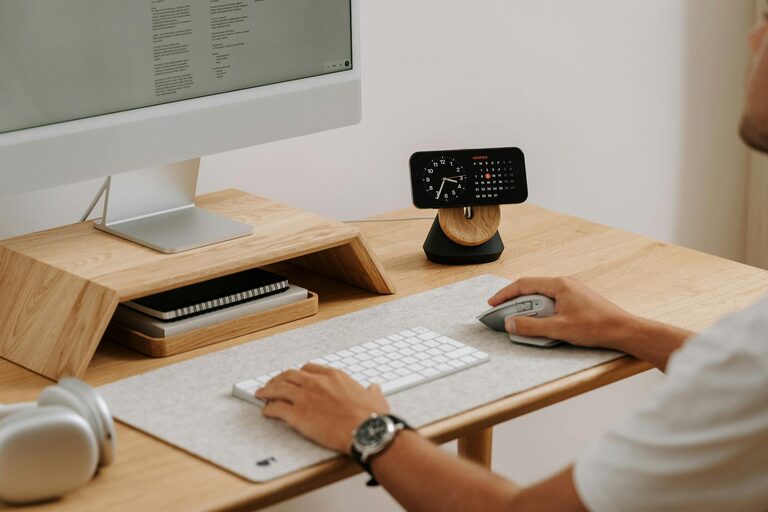
Comfort matters when you spend hours at your desk. Invest in an ergonomic chair that supports your posture and reduces strain. A spacious desk with enough surface area for your computer, notebooks, and other essentials will keep things organized and accessible. Consider adjustable desks if you want the option to alternate between sitting and standing.
Optimize Lighting
Good lighting reduces eye strain and improves focus. Position your desk near a window to take advantage of natural daylight. Supplement with a quality desk lamp that provides soft, warm light during the evenings or cloudy days. Avoid harsh overhead lighting that can cause glare on your screens.
Declutter and Organize
A clutter-free workspace helps keep your mind clear and productive. Use storage solutions like shelves, filing cabinets, or desk organizers to keep papers, supplies, and electronics neatly arranged. Regularly tidy your desk to maintain a pleasant and efficient environment.
Add Personal Touches
Make your office space feel inviting by adding decor that reflects your personality. Photos, artwork, plants, or decorative items can create a warm atmosphere without being distracting. Plants are especially nice—they improve air quality and add a calming touch.
Manage Technology Efficiently
Set up your computer, printer, and other devices in a way that minimizes cables and clutter. Use cable organizers or clips to keep cords tidy and out of the way. Ensure your internet connection is stable and your equipment is reliable to avoid interruptions while you work.
Create Zones for Different Tasks
If your space allows, designate specific areas for different types of work—for example, a computer area for focused work and another spot with a whiteboard or corkboard for brainstorming and planning. This division can help organize your workflow and maintain mental clarity.
Incorporate Sound Control
Noise can be a major distraction. Use noise-cancelling headphones, play soft background music, or introduce soundproofing elements like rugs, curtains, or acoustic panels to reduce echoes and ambient noise. These adjustments help maintain concentration.
Maintain a Comfortable Temperature
Ensure your workspace stays at a comfortable temperature year-round. If possible, use a fan or portable heater to adjust the climate according to your needs. Dressing comfortably and having a blanket nearby can also keep you cozy throughout your workday.
Set Boundaries and Routine
Even the most beautiful home office won’t help if you don’t establish clear work habits. Set regular working hours, take breaks, and inform family members or roommates about your schedule. Keeping boundaries helps separate work time from personal time, supporting both productivity and relaxation.
Keep Motivational Items Within Reach
Place items that inspire you—like a motivational quote, a vision board, or a favorite book—within your line of sight. These can provide quick boosts of encouragement during challenging moments.
—
Creating a cozy and productive home office is about balancing comfort with functionality. Incorporate these tips to design a workspace that supports your best work, helps you relax, and fits naturally into your home life. With a thoughtful approach, your home office can become a place you look forward to spending time in every day.