








Creating a home office space that feels both cozy and productive is essential for anyone who works from home. A well-designed workspace can enhance focus, reduce stress, and make your daily routine more enjoyable. Whether you have a dedicated room or just a corner to work with, there are simple and effective ways to make your office inviting and efficient. This post offers practical tips to help you design a home office that balances comfort with functionality.
Choose the Right Location
Your home office’s location plays a key role in your work experience. Ideally, pick a spot with minimal distractions and good natural light.
– Quiet Area: Select a room or nook away from high-traffic areas.
– Natural Light: Position your desk near a window if possible for mood-boosting daylight.
– Space: Make sure there is enough room for your desk, chair, and any necessary equipment.
Invest in Ergonomic Furniture
Comfort is important for focus and health during long work hours.
– Desk: Choose a desk with enough surface area for your computer, notebooks, and accessories.
– Chair: An ergonomic chair supports your posture and reduces back pain.
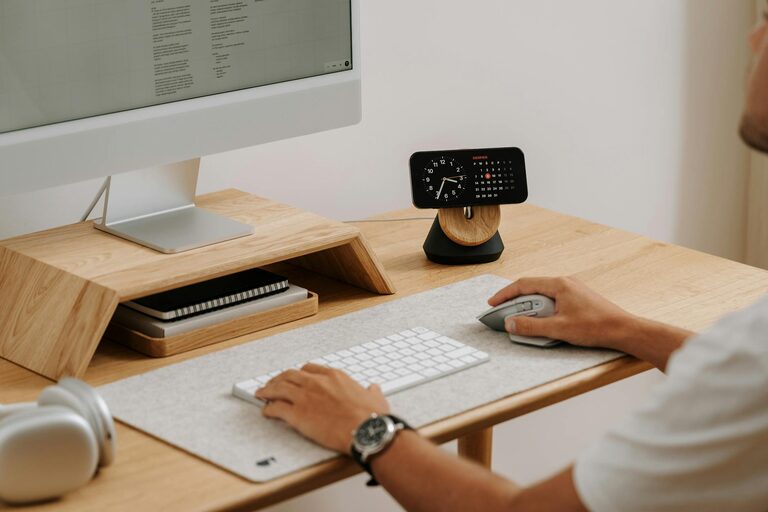
– Monitor and Keyboard Setup: Position your screen and keyboard at comfortable heights to avoid strain.
Personalize Your Workspace
A space that feels welcoming encourages creativity and reduces stress.
– Decorate: Use colors and art that inspire you without overwhelming the space.
– Plants: Adding greenery can improve air quality and create a calming environment.
– Lighting: Combine task lighting with soft ambient lighting to reduce eye strain.
Organize Efficiently
A clutter-free workspace can boost productivity and make it easier to focus.
– Storage Solutions: Use shelves, drawers, and organizers to keep supplies tidy.
– Cable Management: Hide or secure cables to maintain a clean look.
– Daily Clean-up: Spend a few minutes at the end of each day clearing your desk.
Establish Boundaries
Separating work from personal life is vital when working from home.
– Defined Hours: Set clear working hours and communicate them to family or housemates.
– Dedicated Space: Avoid using your home office for non-work activities.
– Break Area: Designate a spot away from your workspace for breaks to recharge.
Utilize Technology Wisely
Technology should streamline your tasks, not complicate them.
– Reliable Internet: Ensure your connection supports video calls and downloads without interruptions.
– Productivity Tools: Use apps and software that aid time management, note-taking, and collaboration.
– Backup Power: Consider a UPS or backup battery to protect against outages.
Maintain Good Air Quality and Temperature
Your physical comfort impacts your ability to work well.
– Ventilation: Keep windows open when possible or use an air purifier.
– Temperature Control: Use fans, heaters, or air conditioning to maintain a comfortable temperature.
– Humidity: If the air is dry, consider a humidifier to avoid discomfort.
Add Personal Comfort Items
Small touches can make a big difference in how your workspace feels.
– Comfortable Textiles: Cushions, throws, or a small carpet add warmth.
– Water and Snacks: Keep a bottle of water and healthy snacks nearby to stay energized.
– Music or White Noise: Background sounds can help concentration and mask distractions.
—
A cozy and productive home office doesn’t have to be complicated or expensive. By focusing on comfort, organization, and smart design choices, you can create a space that supports your work and well-being every day. Start with small changes and customize your office to suit your needs and style. Happy decorating!