








Creating a home office that is both comfortable and productive is essential for anyone who works remotely or spends significant time on tasks at home. A well-designed workspace can improve focus, reduce stress, and increase overall work satisfaction. In this post, we’ll share practical tips to help you set up an ideal home office environment tailored to your needs.
1. Choose the Right Location
Finding the best spot in your home for a workspace is the first step. Ideally, select an area that is quiet, has natural light, and is away from high-traffic zones. This helps minimize distractions and provides a pleasant atmosphere.
Consider These Points:
– A spare room with a door offers privacy.
– A corner of a bedroom or living room can work if space is limited.
– Near a window for fresh air and daylight.
2. Invest in Ergonomic Furniture
Comfort is key when spending hours at your desk. Ergonomic furniture supports your body, preventing discomfort and health issues.
Essentials to Consider:
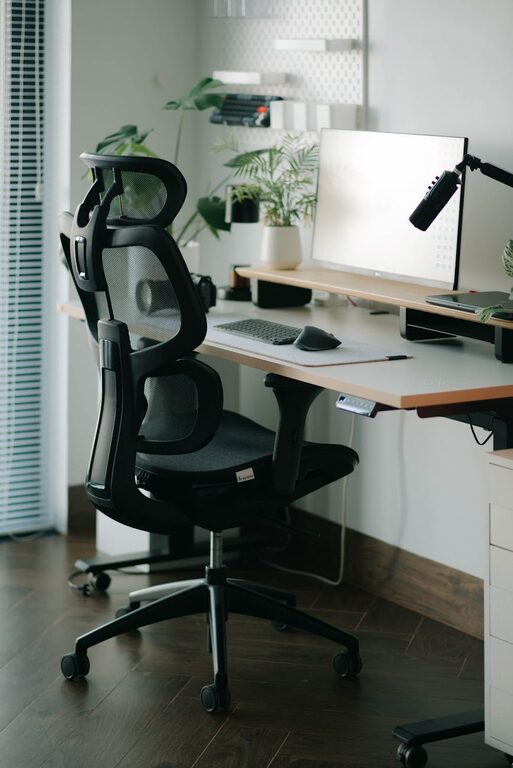
– Chair: Look for adjustable height, lumbar support, and comfortable cushioning.
– Desk: Choose a surface large enough for your computer and materials but not so big that items get lost.
– Monitor Stand: Raises your screen to eye level, reducing neck strain.
– Footrest: Helps maintain proper posture.
3. Optimize Lighting
Proper lighting reduces eye strain and improves your mood.
– Use natural light when possible by positioning your desk near windows.
– Add task lighting such as a desk lamp with adjustable brightness.
– Avoid harsh overhead lights or glare on screens.
– Use curtains or blinds to control sunlight intensity.
4. Organize Your Workspace
A tidy workspace increases efficiency and reduces stress.
Tips for Organization:
– Use drawers and organizers to keep supplies out of view.
– Designate spots for frequently used items like pens, notebooks, and chargers.
– Keep cables neat with clips or ties.
– Create filing systems for papers to avoid clutter.
5. Personalize Your Space
Adding personal touches makes the space inviting and motivating.
– Decorate with plants, artwork, or photos.
– Choose calming colors or inspiring prints.
– Introduce textures such as cushions or rugs.
– Keep personal items minimal so the space doesn’t become distracting.
6. Minimize Distractions
Focus is vital for productivity. Take time to reduce potential interruptions.
– Use noise-canceling headphones if you live in a noisy area.
– Establish clear work hours with family or housemates.
– Disable non-work-related notifications during work time.
– Consider using white noise or ambient sounds to mask distractions.
7. Incorporate Technology Wisely
Tech can either simplify or complicate your workflow.
– Ensure a reliable internet connection.
– Choose tools that suit your work style (laptop, external monitor, keyboard).
– Use apps for time management and task tracking.
– Keep your devices clean and well-maintained.
8. Take Breaks and Move
A comfortable office supports not only work but also health.
– Set reminders to stand up and stretch regularly.
– Consider a sit-stand desk if possible.
– Keep water nearby to stay hydrated.
– Use breaks to refresh your mind with a short walk or relaxation exercise.
9. Maintain Cleanliness
A clean office space helps maintain focus and well-being.
– Schedule regular cleanups for dusting and wiping surfaces.
– Remove trash daily.
– Keep food and drinks separate from electronics.
10. Evaluate and Adjust
Your needs may change, so periodically reassess your setup.
– Notice after a week what works and what doesn’t.
– Make small improvements such as adjusting chair height or rearranging items.
– Stay flexible to create the ideal space over time.
—
Creating a comfortable and productive home office takes planning and attention but pays off in better work quality and enjoyment. With these tips, you can shape a space that supports your well-being and success each day. Happy decorating!