








Creating a cozy and functional home workspace is essential for staying productive and comfortable throughout your workday. Whether you’re working remotely full-time or occasionally need a quiet spot to focus, designing a space that blends comfort with efficiency can boost your mood and enhance your work quality. Here are some helpful tips to transform your home workspace into an inviting and effective environment.
Choose the Right Location
Picking the right spot in your home is the first step toward creating a great workspace. Ideally, select a quiet area away from heavy foot traffic, noise, and distractions.
– Natural light: Look for a spot near a window, if possible. Natural light reduces eye strain and helps maintain your energy throughout the day.
– Privacy: Choose a space where you can close the door or create boundaries to limit interruptions.
– Space considerations: Ensure the area has enough room for your desk, chair, and necessary equipment without feeling cramped.
Invest in Comfortable and Supportive Furniture
Comfort is key to maintaining focus and avoiding fatigue.
– Ergonomic chair: Choose a chair that supports your lower back and encourages good posture.
– Proper desk height: Your desk should allow your forearms to rest parallel to the floor comfortably.
– Adjustable accessories: Consider a monitor stand or adjustable keyboard tray to reduce neck and wrist strain.
Optimize Lighting
Good lighting is crucial for both productivity and comfort.
– Ambient light: Use overhead lights or lamps that evenly light the room to avoid harsh shadows.
– Task lighting: Position a desk lamp with adjustable brightness to reduce eye strain during focused work.
– Avoid glare: Set up your monitor to minimize glare from windows or bright lights.
Organize Your Space Efficiently
A clutter-free environment helps maintain focus and minimizes stress.
– Storage solutions: Use shelves, filing cabinets, or baskets to keep frequently used items accessible but tidy.
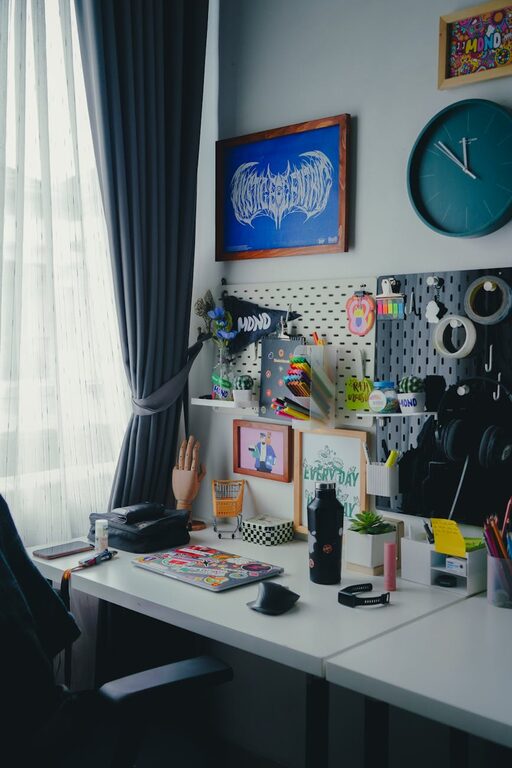
– Desk organization: Use trays or organizers for pens, papers, and gadgets to prevent piles from building up.
– Cable management: Use clips or sleeves to keep cords under control and reduce tripping hazards.
Personalize Your Workspace
Adding personal touches can make your workspace feel welcoming and motivate you to spend time there.
– Plants: Indoor plants improve air quality and add a calming natural element.
– Artwork or photos: Choose images that inspire you or bring joy, but keep them minimal to avoid distractions.
– Comfort items: A cozy blanket or cushion can make your chair more inviting during long work sessions.
Minimize Distractions
Creating boundaries and eliminating distractions helps maintain productivity.
– Use noise-canceling headphones: These can help block out household noise.
– Set boundaries: Communicate your working hours to family or roommates to reduce interruptions.
– Turn off notifications: Silence non-essential notifications on your computer and phone while working.
Incorporate Technology Thoughtfully
Technology should support your work without causing frustration.
– Reliable internet: Ensure your connection is fast and stable to avoid disruptions.
– Essential devices: Use a quality monitor, keyboard, and mouse suited to your needs.
– Backup solutions: Keep important files backed up with cloud services or external drives.
Create a Routine and Keep It Comfortable
Your workspace should feel inviting enough to encourage a consistent routine.
– Set a schedule: Having regular work hours helps separate work life from home life.
– Take breaks: Incorporate short breaks to stretch, hydrate, and rest your eyes.
– Maintain cleanliness: Regularly clean and tidy your space to keep it inviting and functional.
—
Designing your home workspace with both comfort and functionality in mind will help you enjoy your workday and accomplish tasks efficiently. With thoughtful choices and some personalization, you can create an environment that supports your best work while being a cozy place to spend your day.